Why video podcasts grow faster on YouTube
How viewers discover podcasts on YouTube, and the simple framing, thumbnail and title choices that help a new show get found.
Key takeaways
- YouTube recommends videos to people who have never heard of you, so a video episode can keep finding new viewers long after release.
- One recording gives you three formats: the full episode, short vertical clips and the audio for podcast apps.
- Clean audio, good light on faces and simple framing matter more to viewers than an expensive set.
- Titles and thumbnails built around one clear idea do more for a new show than episode numbers.
- A steady weekly schedule beats occasional long uploads.
Why do video podcasts grow faster on YouTube?
Video podcasts grow faster on YouTube because YouTube actively recommends videos to people who have never heard of your show, while most podcast apps depend on listeners already searching for you or following you.
On a podcast app, a new show usually grows by word of mouth: someone hears about it, searches for it and subscribes. On YouTube, the home feed, the “Up next” panel and search results all put your episode in front of viewers who are watching similar content. If people click and keep watching, YouTube tends to show the video to more of them.
That means an episode is never really “old”. A conversation you recorded months ago can start getting views again when someone searches for that guest or topic.
How do viewers find podcasts on YouTube?
Viewers find podcasts on YouTube through five main routes, and a good video podcast is planned with all of them in mind:
- Home feed: recommendations based on what each viewer already watches.
- Search: people type a guest’s name, a question or a topic. Clear titles and descriptions help here.
- Suggested videos: the list beside or below the video someone is already watching.
- Shorts: vertical clips that introduce your show to people scrolling short-form video.
- Podcast playlists: YouTube lets you mark a playlist as a podcast, so episodes are grouped as a show and can also appear in YouTube Music.
Video podcast vs audio-only: what is the difference?
The short answer: video takes more effort to produce, but it gives a new show far more ways to be discovered. Here is how the two compare.
| Video podcast | Audio-only | |
|---|---|---|
| Where it lives | YouTube, Shorts, Reels and podcast apps | Podcast apps |
| How new people find it | Recommendations, search and clips | Mostly search and word of mouth |
| Clips for social media | Easy to cut from the footage | Audiograms only |
| Production effort | Cameras, lighting and video editing | Microphones and audio editing |
| Best for | Growing a new show, personal brands | Listeners on the go, niche loyal audiences |
You do not have to choose. Record on video, publish the full episode on YouTube, and send the audio to Spotify and Apple Podcasts from the same session.
How should you film a podcast for YouTube?
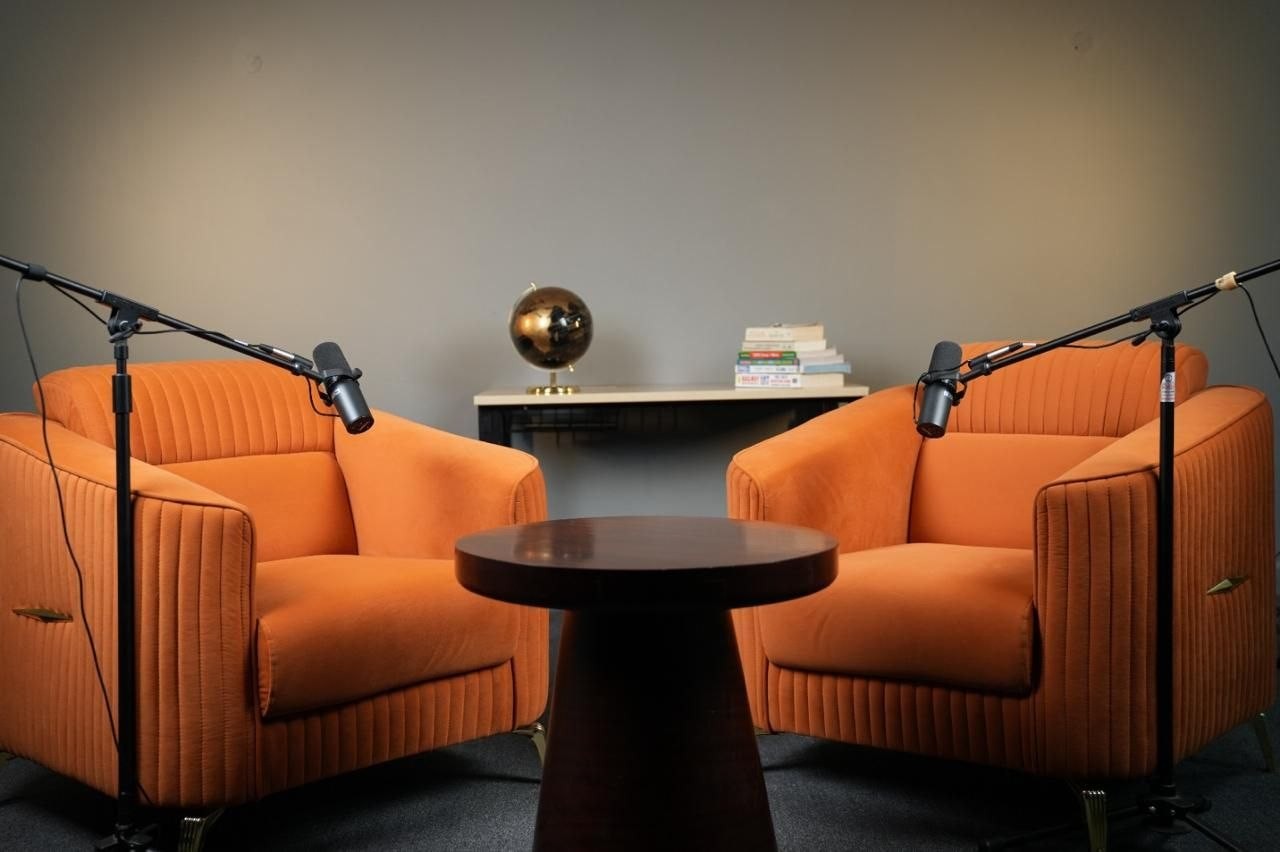
Film a podcast for YouTube with at least one wide shot and a close-up of each speaker, soft light on faces, and microphones close to every mouth. Viewers will watch a simple set for an hour; they will not sit through poor sound.
- Get the audio right first. Use one dynamic microphone per person, a quiet room and a backup recording.
- Use two or three camera angles. A wide shot plus one close-up per person keeps the edit lively and makes clipping easy.
- Light the faces, not the room. A soft key light at eye level, slightly to one side, flatters everyone.
- Give the background some depth. A few lamps, plants or shelves behind you look better than a flat wall or a cluttered one.
- Record in a high resolution. It lets you crop the same footage into vertical 9:16 clips later.
Viewers forgive a simple set. They don’t forgive bad audio.
Our three podcast sets are lit and miked for exactly this, so you can sit down and start recording.
What titles and thumbnails work for podcast episodes?
The titles and thumbnails that work best for podcasts promise one clear idea, show a readable face, and use no more than a few words on the image.
- Lead with the idea or the guest, not “Episode 24”. Nobody searches for episode numbers.
- Show emotion. A close crop of a face reacting reads well even at phone size.
- Keep thumbnail text short. Three words or fewer, in high contrast.
- Keep the promise. If the title asks a question, answer it early in the episode, or viewers leave.
We go deeper on this in Podcast thumbnails that get clicks.
How often should a new video podcast publish?
A new video podcast should publish on a schedule it can keep, ideally one full episode a week with short clips in between. Consistency helps viewers form a habit and gives YouTube regular signals about who enjoys your show.
After each episode, check two numbers in YouTube Studio: click-through rate, which tells you whether the title and thumbnail work, and audience retention, which shows where people stop watching. Improve one thing at a time.
Clips do a lot of the work between episodes. See how to turn one episode into a week of Shorts and Reels.
Where can you record a video podcast in Hyderabad?
You can record a video podcast in Hyderabad at Epitome Studios in Kavadiguda. Every session includes a ready set, multi-camera filming, microphones and an engineer, with editing, clips and guest booking available.
See our podcast services, look around the sets, or contact us to plan your first episode.
Sources
- [Source: YouTube Help, “Create a podcast on YouTube”: add link]
- [Source: YouTube Official Blog, latest podcast viewership update: add link]
- [Source: YouTube Creator Academy / YouTube Studio help on click-through rate and audience retention: add link]